
Fire Alarm Design Workflow Studio
Explore a fire alarm planning workflow with reviewed study examples, functional diagrams, editable documents and transparent calculation tools.
Your app workspace
- 17 phases, 85 guided steps and 139 editable review documents
- Battery capacity, detector grids, whole-device NAC assignments and corridor geometry
- Six zoomable functional diagrams and 19 searchable reference topics
- Separate project progress, notes, bookmarks, print reports and validated backups
Designed for a browser on iPhone, iPad, Android and desktop. Add it to your Home Screen and prepare its files for offline use. Local work is stored on the device you use.
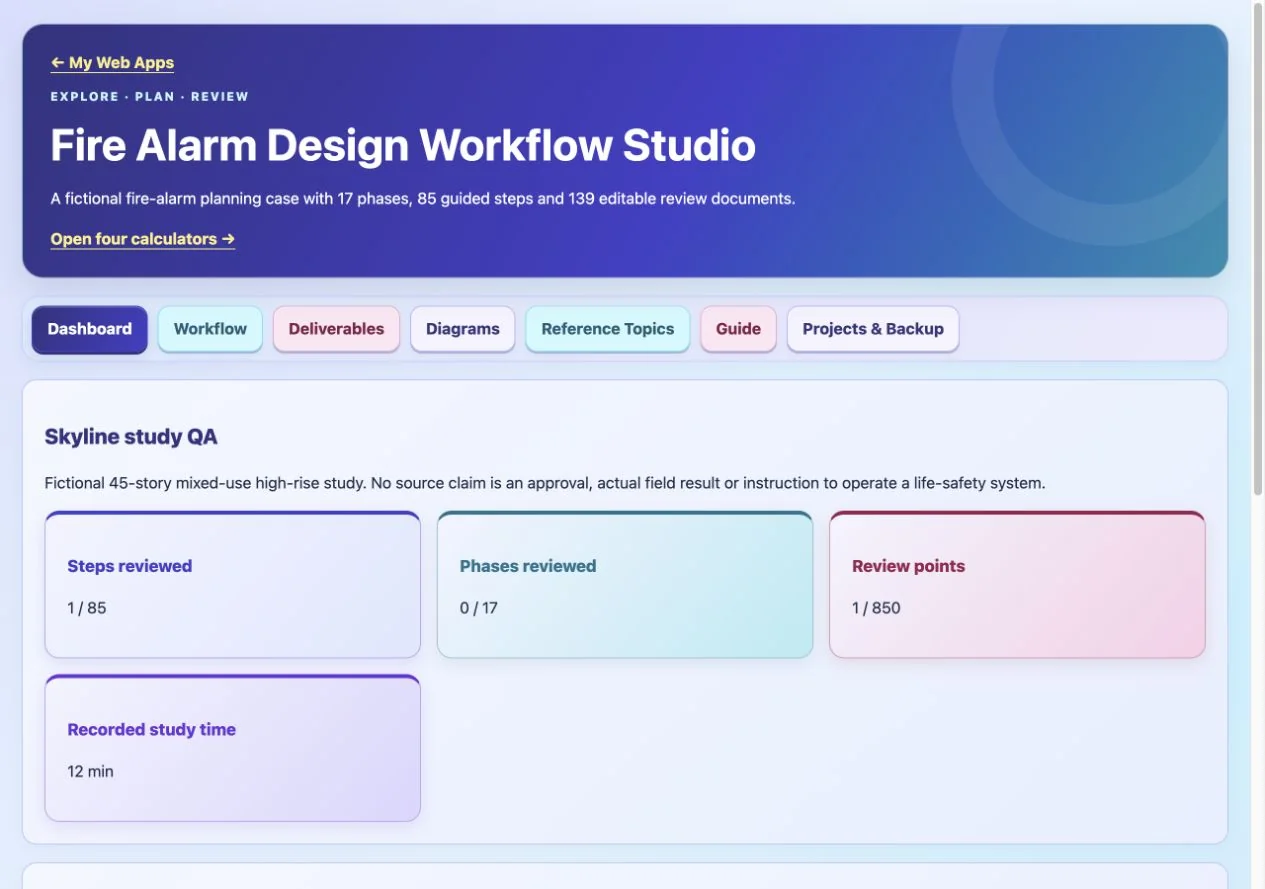
Actual Web App preview. Your inputs, projects or progress are saved in your own workspace on this device.
Get Fire Alarm Design Workflow Studio
Your purchase unlocks Fire Alarm Design Workflow Studio.
$1.99
One-time payment. No account or sign-in code required.
No subscription. No renewal charges.
After payment is confirmed, open this Web App on this device. Save the private recovery code shown after payment: you need it and your purchase email to restore or transfer access. One active browser/device per app purchase.
Already purchased? Restore or transfer access
Use your Stripe purchase email and the private recovery code saved after payment. Email alone does not unlock a purchase. Restoring registers this browser and replaces previous-device online access.
Lost your code? Contact us with your purchase receipt.
Apps FAQ — purchases, installation, recovery and AI support →
Learning and planning tools for educational use.