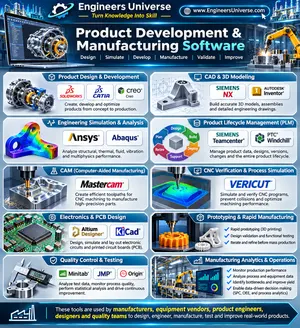
Product Development & Manufacturing Software
Follow a product from CAD and simulation to machining, lifecycle management, electronics and quality.
Read guide & view poster →Explore five engineering software posters with readable guides for students, design and analysis, manufacturing, construction, commissioning and maintenance.
Public thumbnails · Full-size access with All-Access. View pass options
Studying a subject? Start with the student map. Preparing a design? Compare the design and analysis map. Making a product, delivering a construction project or maintaining equipment? Choose the matching workflow poster below.
Each page includes a readable public companion, a practical example and official references. These are third-party software overviews; software licenses are not included and the posters do not imply vendor endorsement.
Added · Engineering Software Studio →
Five software maps for students, design, manufacturing, construction and operations.
Follow a product from CAD and simulation to machining, lifecycle management, electronics and quality.
Read guide & view poster →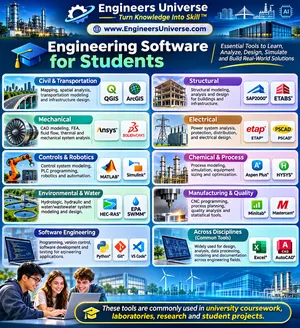
Match university engineering subjects to software families for modeling, programming, analysis and projects.
Read guide & view poster →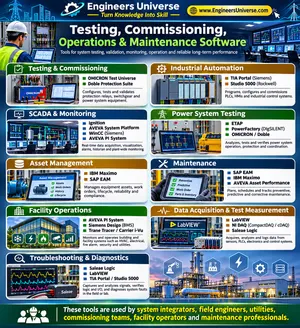
Understand how test software, SCADA, asset management and measurement tools support reliable operations.
Read guide & view poster →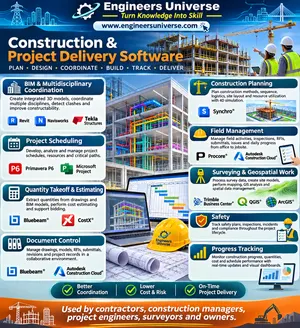
Connect BIM coordination, scheduling, estimating, field records and project information across construction delivery.
Read guide & view poster →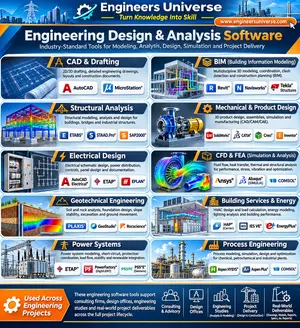
Explore CAD, BIM, structural, mechanical, electrical, geotechnical, energy and process software by engineering task.
Read guide & view poster →Find the software family that matches your task, then follow the poster reading guide to related studios and official references. These five maps complement the existing software selector and lessons; they are visual orientation guides rather than duplicate software tutorials.
Compare student tools, CAD and BIM, simulation, product development, CAM, quality analysis, project delivery, SCADA, testing and maintenance. Public text explains each category; All-Access opens the original full-size posters. Third-party software licenses are not included.
Choose a subject, then open a drawing for its description and full-size viewer. Thumbnails show the composition; use the unlocked image to inspect labels and fine lines. Full-size drawings preserve the original detail so you can inspect labels and fine lines.
Compare student tools, CAD and BIM, simulation, product development, CAM, quality analysis, project delivery, SCADA, testing and maintenance. Public text explains each category; All-Access opens the original full-size posters. Third-party software licenses are not included.
No. All-Access opens the full-size educational posters. Third-party applications and licenses must be obtained separately from their providers.
Yes. Each poster has a public text guide, a worked workflow example, related studio links and official references.
Open a poster with All-Access, then use its full-size new-tab link and your browser zoom. The public text companion is readable on phones and tablets.
Educational reference only. Illustrations are conceptual and may simplify real construction. They do not certify calculations or replace project documents, applicable standards or professional review.